Train your AI like a dog
LLMs aren't thinking machines—they're pattern-following machines. Treat them like trained animals, not virtual coworkers, and you'll get better results.


If you've been expecting AI to make things faster or save you from big-picture thinking, you've probably been disappointed. (No wonder most businesses have found their generative AI efforts unsuccessful .) Large language models like Claude or GPT-5 aren't thinking machines—they're pattern-following machines. Treat them like trained animals, not virtual coworkers, and you'll get better results.
1. Think of AIs as helpful service dogs, not virtual people
Because AI agents talk like people, it's tempting to think they're capable of thinking or acting like people. This leads users to give overly broad or open-ended prompts—the kind we'd give a fellow human—only to get frustrated when the AI returns random, broken answers.
If you think of AIs as trained animals rather than peers, it reframes your expectations and helps you keep requests smaller and more focused. I work with ChatGPT much the same way I interact with my French bulldog, Johnny Cash—simple commands, patience, repetition, breaks, and lots of treats. (Okay, the treats are just for the dog.)
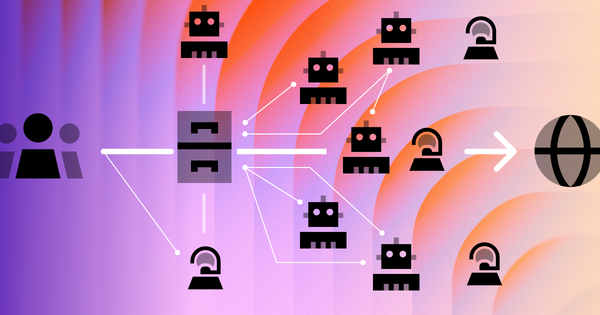
This is true even for "agentic" AI. Compared to chatbots, AI agents have access to tools that let them operate as controllers for various other functions. An agent can do more, but it can't think more—it still requires clear instructions to deliver quality work.
2. Before you give instructions, build some structure
Like a trained dog, LLMs perform best when asked to do tricks that fit a clear, consistent structure. But unlike a dog (who might just lie down on the rug if confused), an LLM will confidently give you an unhelpful response when asked to do something ambiguous.
Set yourself up for success by using explicit structure in your prompts and referring to that structure in your instructions. Two ways I like to do this:
- Number your headers, paragraphs, and list items. Instead of "How AIs Are Like Dogs," label it "Section 3: How AIs Are Like Dogs." Then you can tell the LLM to revise "Section 3" or "Paragraph 27" without ambiguity. (You can even have the LLM do this labeling for you.)
- Use HTML-like tags to delineate parts of a prompt. If pasting in an email, wrap it in
<email-thread>tags to help the LLM distinguish that content from your instructions. You can get clever with attributes too:<chat-thread tone="sarcastic">tells the LLM what it's looking at and how to interpret it.
3. Discrete tasks, discrete chats
Each LLM has a "context window"—the maximum text it can hold in memory during a session. Consumer services like ChatGPT allow around 250,000 "tokens" (each just a few characters). That's enough for a task or two, but in longer conversations, even the fanciest models forget or misremember prior details.
I call this "context fatigue." Unlike us, LLMs can't prioritize or ignore information in their working memory—they try to make sense of all of it. That's why AI meeting summaries miss details or mix up context.
The workaround: use a new chat for each task. A clean slate helps the LLM focus without trying to make sense of a meandering thread. Yes, you have to reintroduce relevant context—but that's the point. You know better than the LLM what matters.
4. Let it do the brain-melting grunt work
It's risky to ask an LLM to do things you don't know how to do—you won't know if it's done them right. But it's often great for boring work you do know how to do.
I ask coding agents like Claude Code to generate boilerplate—stubs for pages, templates, or components. Creating a new file and populating it with a basic structure isn't hard, but it's mind-numbing. My labor shifts from clicking and typing to entering a prompt like "create a new component called <PartnerLogos> that pulls in all the images in src/assets/partners…" (I literally ran that prompt earlier today.)
The output may need tailoring. But it gets things moving and helps me stay in creative flow longer.
While LLM companies optimize for trendy frameworks like React and Tailwind, these models often work best with platforms and languages that are ubiquitous, stable, and frankly boring—WordPress themes, Excel formulas, bash scripts. Coding agents excel at multi-file WordPress edits like adding thumbnail sizes or implementing a custom menu walker, where the patterns are decades old and well-documented.
This scales up, too. Need to process a dataset larger than any context window? Give the AI a representative sample and have it write a script, then run that script the old-fashioned way. The AI infers the structure; traditional code does the grunt work.
As with any AI workflow: use prescriptive language, specify precise outcomes, and monitor the results.
LLMs aren't the do-everything game-changers the hype promised. But they're useful—if you keep expectations modest and instructions clear. Johnny Cash doesn't fetch my slippers or file my taxes. But he's very good at sitting, staying, and looking handsome on command. Your AI can be the same.