Static vs. dynamic websites, explained
If updating your website feels like cleaning out the junk drawer, the problem probably isn't your design — it's your structure. Here's how to tell when it's time to move from static to dynamic, and what your options look like.
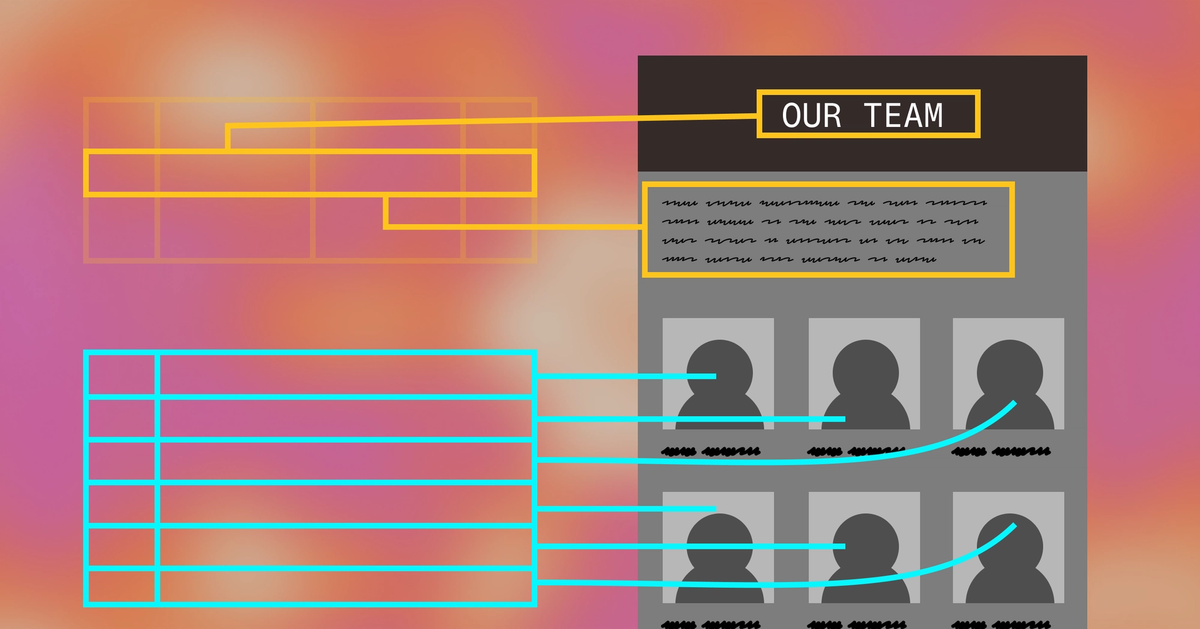

If maintaining your site is getting painful, it’s probably time to consider shifting from mostly static to largely dynamic content. Here’s how to think about supporting your current and future content needs like a web developer, so you’re better prepared for conversations with vendors.
Updating your site is painful when it lacks structure
Let’s start with what’s breaking. On your current site, you have to make every update to every page individually. If you want to change the design, update a stat, or add a new section to every location’s page, you’re looking at a lot of tedious, manual, error-prone work. Too often, the result is workarounds like publicly shared Google Docs, content that stays out of date for too long, and a brand hamstrung by an underwhelming web presence.
What you’re dealing with is a website that’s largely static, where each page is its own freeform entity. Dynamic sites, on the other hand, are generated from structured content. It’s the difference between typing text exactly where the user will see it, versus adding an entry to a database that’ll later be displayed on a page.
In other words: The logic of static content is pages; the logic of dynamic content is types of information. When you have dozens of pages built from the same handful of patterns — locations, providers, case studies, events, resources — your site is probably a good candidate for dynamic content. Especially if those dozens could someday become hundreds.
Dynamic pages solve repetition
Dynamic publishing starts with structured content: name, address, hours, bio, services, categories, headshots, logos, links, and long-form text descriptions of all kinds, to name just a few possibilities. You have to decide what these should be up front, because they’re the building blocks of your entire site. (Thankfully, you can add and adjust as you go along.)
Your interface for creating and editing this content is your content management system. CMSs come in different shapes. Craft, Contentful, and our favorite, Sanity, are all designed for more structured content modeling than a typical page-builder setup. Some systems can manage both content and page rendering; headless systems separate the CMS from the front end that displays the content. That split approach can offer design flexibility, stronger integrations, better performance tuning, and content that can appear in multiple sites or even apps.
The initial lift is heavier: not only is there the financial investment in having a pro build what you need, but you and your team need to discuss, debate, and decide on the types of information your site should have. But it pays off over time in a much smoother creation and update process, with clear places for everything, and you can even pipe in content from outside sources of truth, such as databases or Google Sheets. Visual updates are also much easier to implement because you only need to edit the template the content goes into, not the content itself.
Static pages are still useful
Static pages crafted in a visual builder like Squarespace, Wix, or Webflow are easier for starting out. You can play with design and content together: pick a template, move things around, type in some text, add some graphics. Good to go, easy to tweak. You (or a designer) can even make them look quite nice. This approach works well for brochure sites — good enough for many small businesses! — or sites where each page has a distinctive design.
Page builders also include CMS-like features, such as blogs or product listings. They’re indeed dynamic: add text or images in a box, and it shows up in the right place, formatted to match the page. But that’s the exception that proves the rule: blogs and the like are such common patterns that these platforms can build them for wide audiences. As your site matures, you tend to need more structure than they can offer.
On the flip side, a headless CMS approach can also accommodate static pages. Some specific pages, especially your homepage or landing pages for high-profile campaigns, likely benefit from substantial hands-on front-end design.
Do you need to switch platforms?
The most user-friendly, page-oriented systems, such as Squarespace or Wix, usually do not give you enough control over custom structure. If your content cries out to be organized more like a database than a brochure, you may need to migrate to something more robust..
If you’re already using a more advanced page-building platform, like Webflow or WordPress, you might be able to reorganize your content with enough structure to cover your foreseeable needs, not to mention make a future migration to a structured-content CMS smoother and simpler.
Webflow’s built-in CMS features go far beyond blogs; you can define custom content types that slot right into a template. The WordPress ecosystem offers several approaches to CMS-style publishing, notably the Advanced Custom Fields plugin.
The tradeoff of both is that you’re still tied to a monolithic system that combines front- and back ends. Once you’re investing to make a platform behave like a structured content system, it’s worth asking whether a CMS designed around that model would be a cleaner fit that can grow with you for years to come.
You can, and probably should, use both
The good thing is, it isn’t an either-or. With the right tools at hand, you get to decide how much static vs. dynamic to use, even within a given page.
Homepages and one-off campaign pages may stay static, or highly customized with certain portions editable on the back end. For instance, the homepage might feature hard-coded graphic elements, but also offer a section in the CMS for editing the What’s New section, customer logos, and testimonials.
Blogs, case studies, directories, and the like often benefit from dynamic publishing. This approach is particularly powerful when hooked up directly to databases that cover everything from inventory availability to event calendars to product specs. The more that information changes, or the more a particular type of content is repeated, the more likely it is that a dynamic approach will save time and improve accuracy.
That said, the smart move is not to make everything dynamic; it is to decide what should be structured and what should remain flexible. Sometimes, you just need a simple contact form.
So what should be dynamic?
To get a handle on what could benefit from some structure, look for the following:
- Duplication: making the same edit in multiple places, or copying one page to make another that holds the same types of information
- Off-site workarounds: Google Docs, emailed PDFs, even vibe-coded landing pages can become second nature when it feels too hard to put it on your website
- Old information: if your site’s info is out of date, something is broken, and it likely comes down to it being too hard to make changes
The latter point is a real red flag. Even if your site looks great, stale content invites your customers to doubt whether you’re on the ball. The secret to a website that feels up-to-date and professional is not just good design; it is a structure that’s well-adapted to your needs, so updating feels as routine as sending an email, not a chore like cleaning out the junk drawer.
Once you’ve identified the pain points, think ahead to the next year or two. What types of content do you think you might want? It’s easier to build structure now and use it later, though you certainly can add new fields and page types as you think of them.
This is a good problem to have
If you’re grappling with the question of whether dynamic content can ease your website woes, congratulations! This challenge usually correlates with business growth. You’re doing the smart thing by considering a more sophisticated and much more scalable approach going forward. Now that you know the basic principles of structured content, how might you design your website to grow with you for the next year or two?