While we have a deep bench of excellent contract developers who we’ve worked with on client projects, most websites and apps from Bits\&Letters have been built by a single developer: me.
I’ve been doing this for a long time, and may have forgotten more about web development than most people have learned. (In middle school, I stayed up til midnight to download Internet Explorer 3.0! I actually used <frameset> on a real project once! I saw <marquee> in the wild!) Since I opened this practice, one of my main sales pitches has been that, with so much experience and not having a big-agency process or overhead, I could deliver ambitious projects more quickly than other studios.
Generally this has worked out as planned, but on some of our largest projects — in particular, a large healthcare site built on WordPress — the volume of content, features, and incoming client notes demanded a different approach.
As it happens, this project’s workload started to spike around the same time earlier this year when AI agents — for both coding and other work, like triage and project management — started to get really good, and at reasonable pricing.
Let me tell you about B&L’s “agentic agency” software factory.
“So are you just vibe coding our website?”
“AI coding” has become almost as annoyingly overloaded a term as “website,” encompassing everything from your boss vibe-designing a landing page in Lovable to trillion-dollar companies’ engineering orgs automating thousands of code pushes per week.
People may hear me say, “I have an agentic AI process that helps increase delivery capacity by 4-5X,” and think I’m charging boutique agency rates but just having Claude Code do all the work. So let’s start by drawing some distinctions between “vibe coding” and what I and other professional developers are doing with AI.
With vibe-coding apps, the idea is you can have a single conversation with an agent — perhaps even a single, one-shot prompt — and get usable output you can publish right away. This is actually fine for simple prototypes or web pages that aren’t meant to stand the test of time.
I’ve made some of these myself — for fun, I had ChatGPT Sites output a Field Guide to Where To See The Odyssey in NYC to share some research on the topic, and also had it build a simple “hot or not” game to help me decide on a new tagline for my business.
While vibe-coding can work for simple ideas, client websites and apps require more precise control over both the look/feel of the site and how it’s put together. Using AI for this work isn’t conceptually any different from doing it with only human developers. Done properly, both approaches share principles and a similar shape, and the things I do to make work more doable for contractors tend to also benefit agents.
Agile for agents
How you prompt agents can lead to massive differences in outcomes, though I’m rather skeptical of “prompt engineering” as a concept. At its core, a prompt is simply a description of work that needs doing, and today’s most powerful models — GPT-6 Astra and Fable 5.1, of course, but also Sol, Opus, Grok 4.6, DeepSeek 4.1 — are much better at following instructions without the sorts of tricks that seemed necessary with LLMs from last year or earlier.
Prompts have a lot in common with how work is described and organized in issue trackers. A human developer working on a team that uses an Agile process like Scrum is expected to pick up the top ticket from the team’s backlog, which should have:
- clear information about what to do (instructions)
- what done looks like (acceptance criteria)
- where to ask questions or gather more information if necessary (context)
These are the same things an AI agent needs.
The most important principle in making Agile work is limiting the size and scope of work-in-progress (WIP), especially within individual tasks or tickets, by splitting big goals into smaller chunks that can move forward independently, then “burning down” the items on your backlog.
On my first Scrum team, we’d routinely flag any tasks that would take longer than 1-2 person-days to complete — not because a talented dev couldn’t do them, but because, at that size, there were almost always sub-tasks or hidden requirements that would add time if discovered while mid-flight. Writing those down, either as bullets in the main ticket or (better yet) explicit blocking tickets, would save time later by reducing ambiguity just a little bit.
While humans can react to unclear requirements by asking questions, AI agents’ worst habit is to plow ahead with their best interpretation of the task — which can lead to incorrect, incomplete, hacky, or bloated output that either erodes your code quality or causes work to get stuck in review.
Developers in the driver’s seat
In a recent study, researchers at a Swiss university looked at how effectively students could use vibe-coding tools to achieve their goals, and found a strong correlation between computer science knowledge and achieving good outcomes with AI.
In other words, AI coding works better for users who already know how to code without AI. (Our thoughts and prayers to any bosses hoping to replace their dev team with a single Claude Code subscription.)
One way this shows up in my practice: I’ll often instruct an agent with not just the outcome I want it to deliver, but some guidance on how to get there.
For example, given a page section where icons have the wrong fill color, one could say “the icons should be white” and the agent may fix it by hard-coding a white fill color, missing the fact that icons should be inheriting the white color from the design system and aren’t for some reason. Instead, my prompt will be something like this:
In the provided screenshot, icons are rendering in black that should be inheriting the text color (= the `--ink` token), which in this context is white.

Make sure theming is set up correctly on this section; fix it if not.

If theming is applied correctly, make sure the icons are set up with `fill=currentColor` per our convention. [Pasted image(s)]
To be able to write this prompt, I need to know how a page is implemented — my instructions are rooted in the technical solution, asking the agent to fix a CSS or design system bug, not just a visual bug.
Use the best model for the job
A side benefit of more explicit prompting, combined with splitting work into smaller tasks, is being able to use smaller, cheaper, less capable models. The latest super-frontier models, like Fable or Astra, could probably look at the code and infer the right approach just from a screenshot, but would burn through my token quota 4-5X faster.
Conversely, a narrowly scoped prompt rooted in the code can be worked on by GPT-5.6 Luna or Cursor Grok 4.6 at a fraction of the cost.
Having said that, I also find that when I give clearer, less ambiguous instructions to Fable or Astra, those models can work through problems so efficiently that the token cost is reasonable. Also, these days you can instruct an agent to delegate parts of a task to a sub-agent using a specific model — another example of dev knowledge yielding better prompting skills — to further optimize costs, using a prompt like this (sent to Codex, with the main session using Sol):
The /writing page is very long and dense; our client would like to improve usability and wayfinding by adding a sticky subnav to navigate between sections.

Have a gpt-6-astra agent review the current experience (both in code and browser) to develop a plan for making the content more navigable, rooted in the brief to introduce a sticky nav element.

Implementation tasks can go to gpt-5.6-luna-fast.

Open a PR and report back with the branch preview's /writing URL when available.
Now, this is not just a coding task — I’ve also asked the agent to look at the experience in a browser(!), recommend an approach, including design, and implement its recommendations on a branch I can look at.
But it’s still rooted in the how, not just the what — I’m not asking the agent whether a category jump nav is the right approach, though I am asking it to look at the page and suggest anything else that may round out the request, which in this case included adding scroll-margin-top to the sections so the sticky nav didn’t overlap any content.
Which brings me to the next cool thing:
Your agents need their own computers
After experimenting with Claude Code and Codex, both locally and on the web, Cursor (recently acquired by SpaceXAI) quickly established itself as our go-to agent platform.
Cursor’s Cloud Agents have access to their own Linux-powered virtual desktop, allowing them to test visual or UX changes, without needing local access to your computer or to run on a dedicated Mac mini.
Having agents that can open your websites or apps on a computer and interact with them opens up so many new possibilities. On my healthcare project, I’ve had agents do first-pass accessibility testing based on actual, live workflows in a real Chrome browser, filing new Linear tickets that other agents could pick up and fix within minutes.
Much more simply, a Cursor cloud agent can (and usually does) include screenshots and videos in its final report on a task. In some simple cases, the screenshot is proof enough that the work was done that I don’t need to test it myself, and can merge its PR directly from Cursor’s UI.
Tickets, graphs and loops
All of this is broadly simpler than a developer doing everything by hand, not to mention cooler and more sci-fi. But it’s all too easy for a human to still be a bottleneck, the single point of failure responsible for prompting agents and reviewing results.
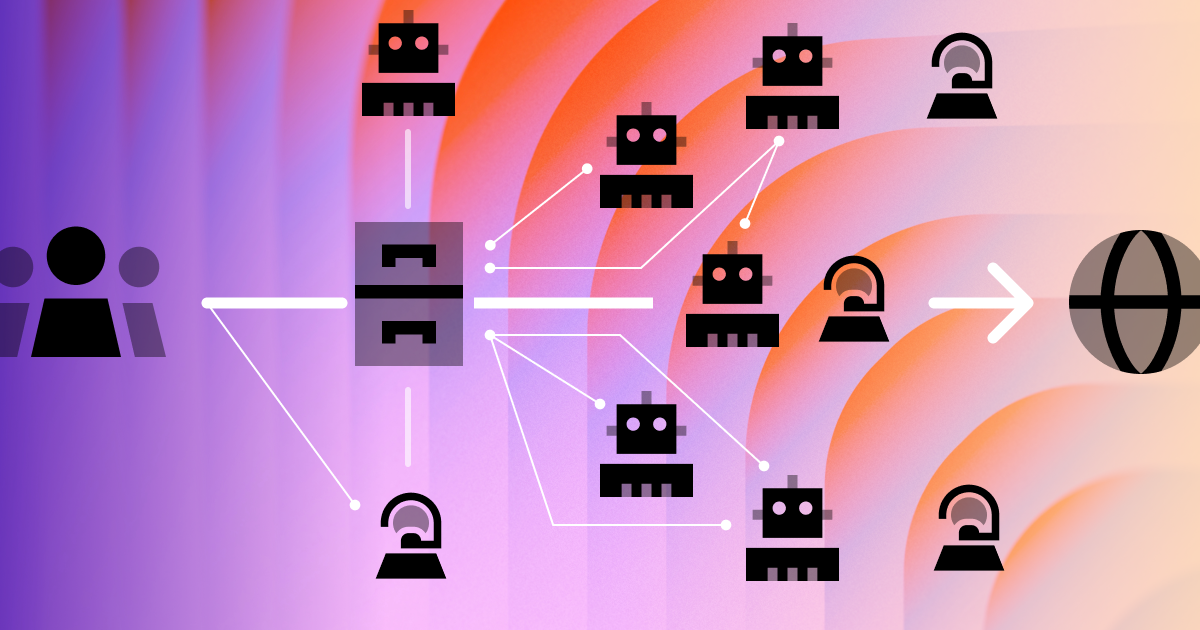
Where our process starts to show its greater value is bringing automation into the game, allowing agents to pick up tasks and deliver work semi-autonomously.
For the healthcare project, I implemented a very simplified version of the “graph engineering” model folks like OpenClaw creator Peter Steinberger began talking about earlier this summer, which is at least spiritually related to Steve Yegge’s semi-insane “Gas Town” agent-orchestration approach.
In a graph setup, you have multiple agents that are assigned certain roles — planner, orchestrator, coder, tester — with automations driving and controlling the overall system. Depending on your risk tolerance, you can create points on the graph where humans are looped in to ensure quality and flow, or — like Yegge — you can just let ‘er rip.
We are not very risk tolerant; our system has me in the loop at all stages, and some of the roles like planner and tester are reserved for me unless the job to be done is very, very simple.
The heart of any AI workflow is a source of truth, or in more comp-sci terms, shared state. Whether or not a given model or agent has reliable memory and context, the point of a software factory is to spin up lots of agents. A shared source of truth keeps the agent swarm coordinated, ensuring that work is being done (not skipped or done twice) and all workflows are being followed.
We use Linear for issue tracking. It’s a great choice for this because they have excellent MCP support (so all agents can read and interact with tickets directly), and what’s more, the Linear web/mobile apps have first-class support for cloud agents like Cursor.
For me, the human operator, the simplest way to hand a ticket to an AI worker is to simply assign it to @Cursor, or post a comment like “@Cursor can you pick this up”. Cursor’s integration gets a ping, a cloud agent session is spun up and linked to the ticket, and I can monitor progress in either Linear or Cursor’s UI.
As it works, the Cursor agent will keep the Linear issue’s status up to date, moving it from Todo to In Progress, then to Needs Testing when things are ready in a pull request for me to review. After the review, merging the PR automatically flips the Linear ticket’s status to Done.
This is a nice way to connect issues and agents, but we can take it further by adding more agents and more automations.
Our healthcare clients, not surprisingly, had a rigid security posture — they weren’t allowed to work directly with us in Linear (or even Google Docs), and instead had to deliver content, assets, and feedback via Microsoft Office files in a shared Box folder.
But I was able to bridge the gap between these very different systems with a few agent automations:
- One agent would index the Word documents and image files in the
Final Contentdirectory, parsing the docs into structured JSON data mapped to modules in the new website’s design system and block library - A second agent watched for content changes, creating Linear tasks for the content-ingesting agent if the clients updated or added anything
- Client feedback and bug reports were added to a 400-row Excel spreadsheet; a triage agent would monitor the file for changes and create Linear tickets for incoming client notes. A second agent would groom the resulting backlog, flagging any items that weren’t clear enough to move forward, or else marking tickets ready for dev.
- Finally, any ready-for-dev tickets not yet started were swept up in a recurring job twice a day and handed off to a Cursor agent for build and testing.
Flow chart describing Bits&Letters's AI agent graph for working on web projects. Mermaid diagram source follows.
flowchart TD
    F[Client files] --> I[Agent reads and compares feedback]
    I --> L[Linear backlog]
    L -->|Needs clarification| H[David clarifies the task]
    H --> L
    L -->|Ready to implement| A[Coding agent]
    A --> R[David reviews the change]
    R -->|Needs rework| L
    R -->|Accepted| P[Reviewed work]
    T[Agent browser testing] -->|New issues| L
    L -->|Agent updates status| S[Client spreadsheet]
Scroll to see the full diagram.
How does this scale if you do have more than one developer?
All my examples so far have had just one human operator — me — but I talk to a lot of peer agencies with standing dev teams who are curious about AI-enabled delivery, and during busy times it makes sense to expand B\&L’s projects and bring on some additional hands.
The beauty of this model is that it’s so similar to existing Agile practices, and even then is a simplified version of Agile. A ticket can get picked up by a human or an agent or another human’s fleet of agents — it’s all the same.
The main difference, and caveat, is that a factory system like this works because, like any factory, everything is done consistently. Many dev teams can play fast and loose with process because they rely on smart people who can adapt to each other’s habits and get things done. Agent swarms can’t do this, and worse, they tend to amplify whatever bad habits or information are fed into them.
This isn’t to say you need to treat your dev team like a factory, but rather that your dev team needs to treat your agents like factory workers who should be managed in clear, consistent ways.
Maintaining quality in an agentic world
I’m comfortable with a degree of eventual consistency in large software projects: changes beget bugs, which beget more changes, until the work comes together. However, clients and stakeholders usually expect work to be done in a clear, linear fashion, prioritizing the most important tasks, and ensuring anything demoed for them meets a reasonable quality bar.
Using agents to accelerate delivery can mean that work is being done faster than a project manager or dev lead can keep track of what’s ready to demo, and there’s also a risk that, with so many pieces moving constantly, what someone sees in staging can change daily or even hourly over the course of a build.
And while I can feel confident that everything will end up all right — the rate of change will eventually slow, we’ll fix lingering bugs, and the end state will meet or exceed expectations — to a client, the chaos can feel like things are going off the rails.
Addressing this really comes down to how you organize the work, and creating good boundaries between work that’s still in flight (with agents jamming at all hours) and work that’s ready to review.
A few principles that are working so far:
Organize the work logically. This sounds obvious, but one superpower agents unlock is that you can conceivably get work done that touches entire web sites in one go — for example, you can have an agent check if a given pattern has been used more than three times and, if so, repackage it as a component.
While doing this, however, you should also maintain some structure that maps to how clients (or you) best understand the work, such as by pages, sections, or feature areas.
Our healthcare project was generally organized by page, so Linear ticket titles were prepended with the page name, e.g. For Partners: Update hero image with higher-res asset. Tags/labels can be used for even more structure if you need it.
Make sure to look at work through the client’s eyes at least once. Agents can (accurately) check work against functional specs and even rubrics like WCAG 2.2, but they can’t look at a complete page and say whether a specific client will think it’s complete enough to review.
If you keep humans in the loop anywhere, it’s the final step before merging. Ensure at least one human review for anything that touches user experience, and don’t let agents merge that stuff on their own.
Own the outcomes—always. I don’t know that we’re (still? yet?) at a point where you should hide the fact that your dev team uses AI, or conversely, whether you should advertise that you use AI. Everyone is talking about AI and nobody knows much about what’s happening or what will happen. It’s our greatest mystery and biggest third rail.
But I can say for sure that clients do not want to hear that something was done wrong or more slowly because of an AI agent.
If clients want to delegate taste and judgment to AI — and these days some do — they’d have prompted Claude to make their website. They hire agencies or studios like ours so an experienced craftsperson will deliver something better than they could have done. When demoing work, giving status updates, explaining the invoices, remember: AI is just a tool, you are the one using it.