Is it an agent, or just a cron job?
Many AI "agents" are just scripted workflows wrapped in prompts, burning tokens for no good reason. We explain the difference, and show the cost based on real-world testing.


Earlier this year, I set up a Notion custom agent to review my email once every hour and clean up my inbox — to organize newsletters to read later, auto-archive pitches and spam, etc. It did an okay job, but lasted about one day before I ran out of credits and was asked to buy more.
AI isn’t the only way to automate things, and sometimes it isn’t even the best way. But for many people AI tools are often the easiest way to get started, and might even be their first or only exposure to having software automate something in their daily work. And if you’re not a developer, or haven’t ever tried using conventional automation, it may not be obvious to you how much of what you’re automating really requires an LLM on every run, and how much could be handled by a plain old script.
As I wrote in my post about how I think about agents , an agent is an AI-powered tool that can take action on your behalf. The second part is also true of automations (either scripts you run, or workflows from a tool like Zapier or n8n); the difference is in how AI is used, and whether the model is making decisions or just schlepping bits between systems out of convenience.
The difference matters a lot more in cases like my Notion agent fail, where triaging my email could be done more efficiently (and cheaply) with a conventional script or even a simpler prompt, but the path of least resistance ends with a month’s worth of AI credits being spent on 22 email checks.
So let’s take a minute to go over what, exactly, is happening when you automate work — agent or no agent — and how that can help you write better routines and get more out of your subscriptions or token spend.
Triggers, or: When the work starts
When talking about automation, it’s helpful to separate what triggers a task from the task itself. While apps like Claude combine these — which, in fairness, helps people feel more comfortable dipping their toes into having robots working for them — there are many different ways to automate stuff.
In more technical language, scheduled tasks like the ones you can set up in Claude or ChatGPT Work are what developers and IT pros typically call cron jobs. The term cron job is itself a computer colloquialism — cron is a Unix program that can run scripts on a schedule, and its job is one of those scripts. (Modern platforms like
Vercel call their scheduling features “Cron”
because the term is so familiar to nerds.)
Whether or not Claude’s scheduler is literally running on something like cron, behind the scenes some part of the Claude app is setting a timer to go off on a particular schedule; when it does, it triggers a new chat session with the prompt for your recurring task.
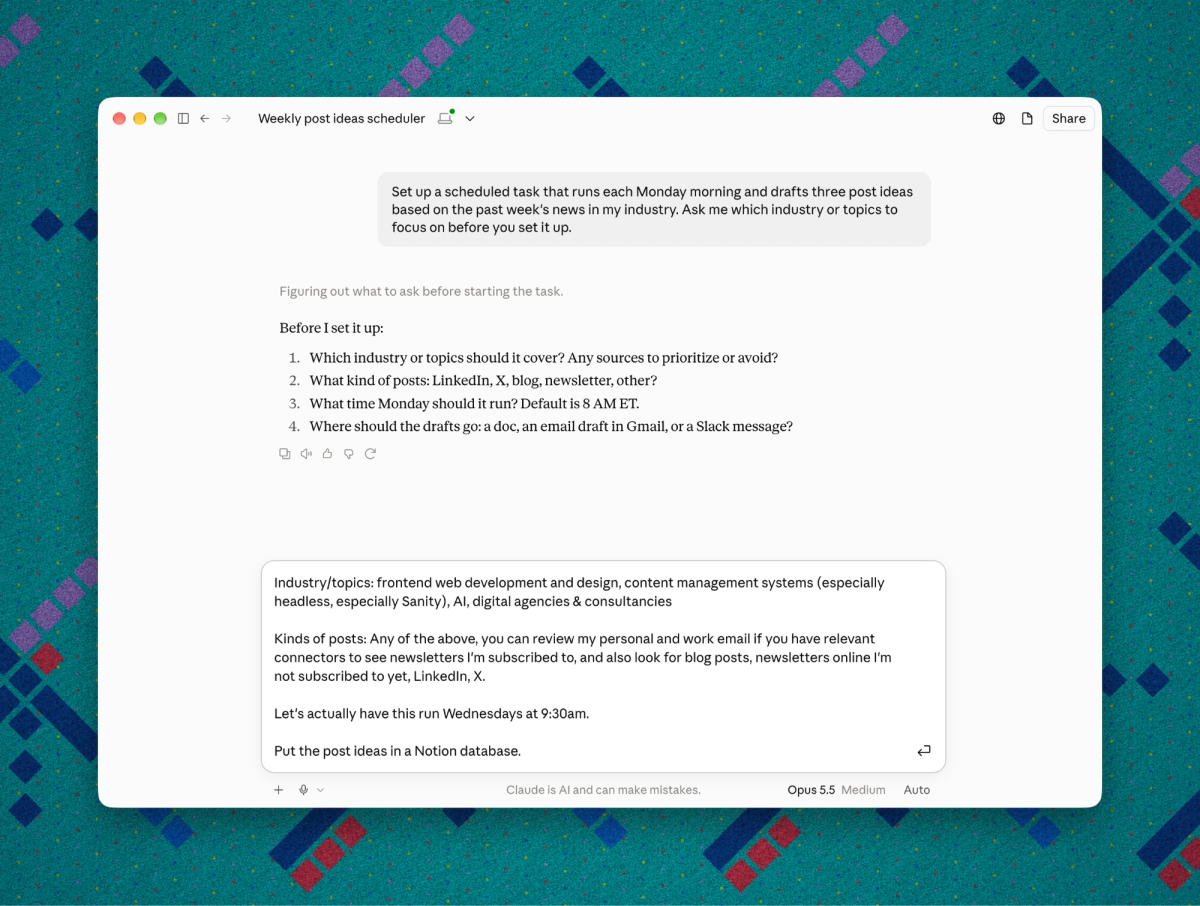
Time is just one way to trigger automation. You can also run a task:
- On demand: A specific prompt or task you run whenever you need to. (Agent skills are one way to save instructions so you don’t have to type the same prompts over and over again.)
- In response to an event: Something happens in another app, such as a new email arriving in your inbox, that sends a signal to your automation to do some work, usually with details about whatever caused the event to fire.
Event-based triggers typically take more setup, and aren’t as accessible or common to non-developers. Visual workflow builders like Zapier or n8n can make these kinds of automations more accessible to non-technical users, but can be more limited in what kinds of apps or events they can handle (though both apps support a lot of useful triggers and actions).
I have a weekly task that generates a website performance report, using data from an analytics tool like PostHog and Google’s Search Console API. Here, time is the trigger; fetching data and preparing the report is the task. I can ask an agent to run the report anytime, or could set up a webhook or other trigger to update the report if, say, a blog post goes viral on LinkedIn.
What makes something ‘agentic’?
Computer power users have had scripts and automated workflows for decades. What distinguishes agents from these is that, while a script runs a set of actions or commands in a set order, the AI model powering an agent is able to compose a set of actions into a unique workflow to fulfill whatever job it’s been prompted to do.
Consider the difference between these two prompts for my weekly website analytics report. This one specifies the list of steps and data to fetch — basically a script, but written in natural language:
Prepare a weekly website performance report
for mydomain.info.
Use the Search Console API to retrieve impressions,
CTR, top pages, and top queries.
Use your PostHog connector to get web analytics data:
sessions, unique visitors, pageviews, top pages,
top traffic sources.
Combine the data into a report with key numbers
at the top, followed by page level performance
and top traffic sources.
Email the report to me at david@mydomain.info.
This one is written more broadly, giving the agent more room to decide how to fulfill the brief:
Prepare a weekly website performance report
for mydomain.info, using your available connectors
and any other resources that seem relevant.
Create or update a combined dashboard to present
the data in a clear, engaging way.
Let me know when the report is ready
and send me the link.
What distinguishes agents from mere AI chatbots is that they have tools that allow them to perform actions like web searches, but more importantly, that they can compose those tools in whatever way the AI model deems fit to do its assigned work. The second, broader prompt leaves a lot unstated about how to generate this report, instead focusing on the job to be done, with just a little guidance about where the data should end up (a dashboard, available at a link) but giving the agent freedom to design the dashboard itself.
Lest you think I’m saying the second example is good and the first is bad, they’re actually both good in different ways.
A prompt like the first one (a “natural language script”) could be set up as a Python or Bash script, but that requires you to not only know Python, but know where to run the script, how to give it access to APIs, etc. In an AI agent, you can lean on the growing connector ecosystem based on Model Context Protocol (MCP), which makes it quite easy to connect agents to other tools you use.
The second, more open-ended prompt opens the workflow up to change, with a model deciding on the most relevant information to surface for you each week. (It also can call on any of its available tools, not just the ones you name.) But if what you need is a consistent report that shows you the same data week over week, that kind of freedom is at best unnecessary, and at worst can actually make your site’s performance harder to follow over time.
But another key aspect of agents is that they can do multiple jobs, even if you have a scheduled task for them that doesn’t call on their full skill set. A website analytics agent might run a scripted report every Wednesday, but can also run the more open-ended dashboard update on a different schedule, or answer questions and run queries for you in Slack. In other words, it’s not that one style of task is “agentic” and the other isn’t — it’s about capabilities and how you’re using your tools.
Measuring “token burn”
AI tools have made it much easier for non-technical people (or busy technical people who hate writing bash scripts) to automate dull, repetitive work. But when you have an AI agent run a scheduled prompt — especially one with a specific, dialed-in list of instructions like the first one above — the model re-generates and re-runs the same tasks every single day when it may not need to.
Anytime an AI model is part of a task, you’re using AI compute, which costs tokens or credits. Models are getting cheaper; for example, Sonnet 5.5 costs about a third less per input or output token than Sonnet 4.5 at standard API rates , and two-thirds less for cached input. But you know what’s better than lower token costs? Zero.
Rather than just make broad statements about scripts vs. narrow prompts vs. broad ones, I built an eval suite around this website reporting task, then had agents run it against a bunch of current-gen models. You can view my eval suite and methodology on GitHub.
|
Method (Model / prompt) |
Median run time (in sec) |
Input tokens |
Output tokens |
API-equivalent $ |
|---|---|---|---|---|
|
Script only, no model |
0.11 |
0 |
0 |
0 |
|
GPT-6.1 Sol - Tool calls |
224.57 |
382,655 |
6,233 |
0.2261 |
|
GPT-6.1 Sol - Script |
118.26 |
203,951 |
2,033 |
0.1231 |
|
GPT-6 Astra - Tool calls |
179.07 |
286,899 |
3,983 |
0.9460 |
|
GPT-6 Astra - Script |
87.35 |
158,220 |
890 |
0.5968 |
|
GPT-6 Luna - Tool calls |
114.78 |
346,077 |
3,630 |
0.0102 |
|
GPT-6 Luna - Script |
81.34 |
210,085 |
1,309 |
0.0057 |
|
Claude Haiku 5.5 - Tool calls |
31.5 |
293,502 |
6,064 |
0.0109 |
|
Claude Haiku 5.5 - Script |
17.5 |
157,513 |
1,520 |
0.0056 |
|
Claude Sonnet 5.5 - Tool calls |
36.7 |
231,759 |
4,500 |
0.1386 |
|
Claude Sonnet 5.5 - Script |
13.4 |
109,791 |
1,066 |
0.0673 |
|
Gemini 3.8 Flash - Tool calls |
245.4 |
771,356 |
26,480 |
0.2335 |
|
Gemini 3.8 Flash - Script |
55.7 |
271,804 |
2,960 |
0.0774 |
|
Grok 4.7 - Tool calls |
173.3 |
353,387 |
12,246 |
0.3883 |
|
Grok 4.7 - Script |
37.8 |
149,248 |
1,780 |
0.1780 |
All of these test runs passed the minimum bar for the eval suite in terms of accuracy and quality. What we’re interested in here is the marginal cost (in time and API usage) of using an LLM to run a job over a conventional script, and whether it saves time or money to give an agent a saved script versus having it compose tools on its own.
The most useful and interesting comparisons are between the tool-call and scripted runs by the same model on the same platform. For the GPT and Claude model families, the tool-call runs took between 1.4 and 2.7 times as long as the scripted runs.
Interestingly, within the GPT family the extra minute between (say) Luna and Astra (115s vs 179s) is unlikely to matter for a weekly report, though the difference in cost was substantial (around $0.01 for Luna vs almost a full dollar for Astra). But to look at this data another way: running this task once a week with Astra would cost around $1/week at full API rates — potentially less on a subscription plan.
What approach is right?
Whether these numbers are scary or not depends, of course, on how many of these kinds of tasks you’re running, and how often.
If you have just one scheduled job per week, you may as well splurge and have Astra generate you a gorgeous interactive dashboard each time. If this is one of a thousand (or more) automations in your company, the costs can add up quickly.
If your automations are doing useful work and you’re comfortably within your subscription limits, you may not need to change anything. If you’re regularly running out of credits or waiting too long for jobs to finish, start with the tasks you run most often. Check whatever usage figures or run history your app makes available, and whether those jobs need to run as frequently as they do.
For those jobs, look for places where you can replace tool calls with a script the agent can run, or move the workload to scripts alone (which an AI can help you write and deploy). Try one change and compare run time and usage over a few runs before and after; the savings should justify the work of setting it up.